यदि आपने कभी 1717200000 जैसी संख्या को देखकर सोचा है कि यह कौन सी तारीख दर्शाती है, तो आप अकेले नहीं हैं। Unix timestamp को date में convert करना सीखना developers के लिए एक महत्वपूर्ण skill है जो APIs, databases और backend systems के साथ काम करते हैं। Unix timestamp बस उन seconds (या milliseconds) की गिनती है जो 1 जनवरी 1970, 00:00:00 UTC से बीते हैं, जिसे Unix epoch के नाम से जाना जाता है। यह guide आपको datetime conversion, timezone handling और JavaScript, Python, SQL में practical code examples के बारे में बताएगी, ताकि आप अनुमान लगाना बंद करके confident तरीके से conversion कर सकें।
मुख्य बातें:
- Unix timestamp 1 जनवरी 1970 UTC (epoch 0) से seconds गिनता है, जो इसे timezone-neutral बनाता है।
- Convert करने से पहले हमेशा confirm करें कि आपका timestamp seconds में है या milliseconds में, क्योंकि इन्हें मिलाना सबसे आम bug का कारण है।
- Timezone offsets को UTC में convert करने के बाद apply करना चाहिए, पहले नहीं।
- JavaScript, Python और SQL में unix to date conversion के लिए built-in functions हैं, लेकिन हर एक की अपनी विशेषताएं हैं।
विषय सूची
Unix Timestamp क्या है?
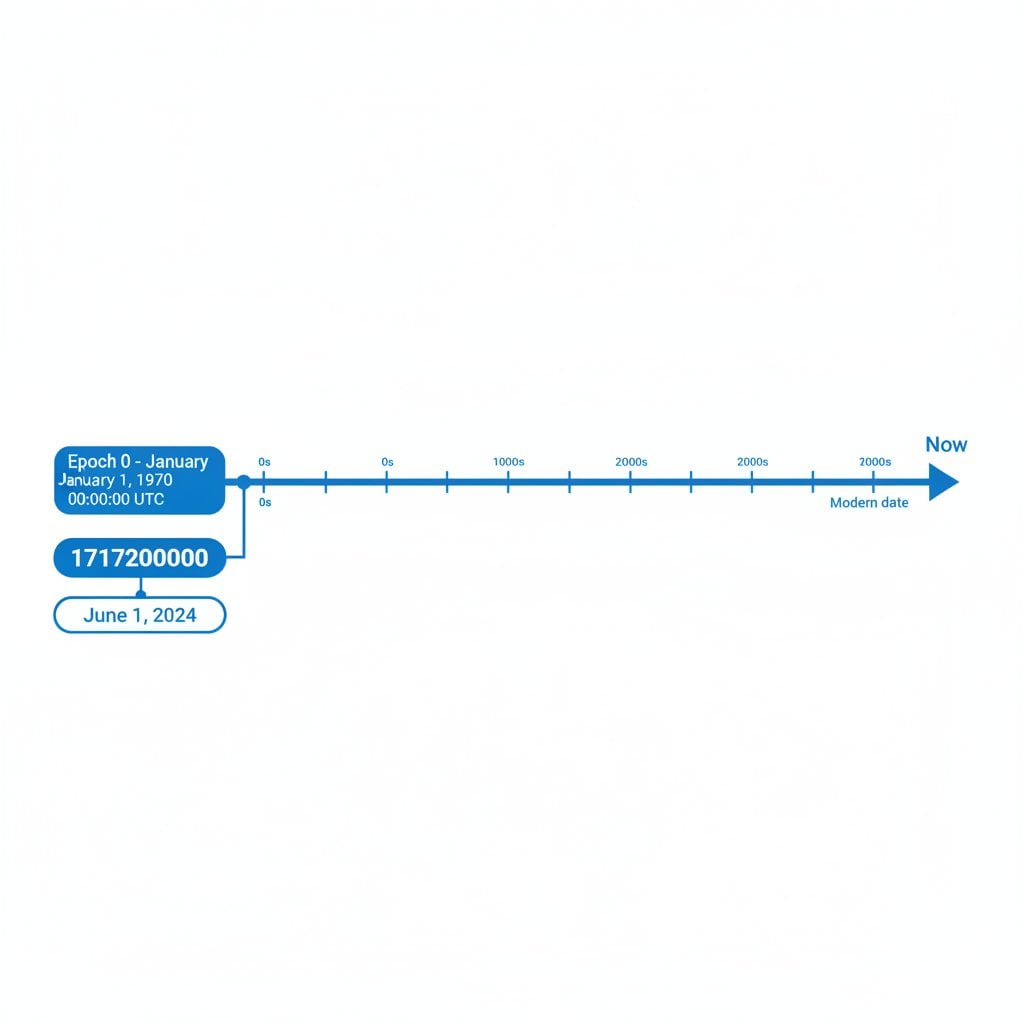
Unix timestamp समय के एक specific moment को integer के रूप में represent करता है। यह clock 1 जनवरी 1970, 00:00:00 UTC से शुरू हुई, जिसे "epoch 0" कहते हैं। तब से जो भी second बीता है, वह counter में एक जोड़ता जाता है। यही simplicity इसे computing systems के लिए universal time format बनाती है।
इस number में कोई months, leap years या daylight saving time adjustments नहीं होते। Timestamp हमेशा UTC-based होता है, मतलब यही number दुनिया में कहीं भी same moment को दर्शाता है, चाहे server या user कहीं भी हो। यही इसकी सबसे बड़ी strength है और time format handling में confusion का मुख्य कारण भी।
Epoch time कैसे modern computing की foundation बनी, इसके बारे में विस्तार से जानने के लिए हमारा article देखें Epoch Time: Unix Timestamps की Foundation।
एक महत्वपूर्ण अंतर: सभी Unix timestamps seconds में count नहीं करते। कुछ systems, खासकर JavaScript environments और कई REST APIs, milliseconds का उपयोग करते हैं। 1717200000 का timestamp seconds में है; 1717200000000 वही moment milliseconds में है। इन्हें मिलाना datetime conversion में सबसे frequent bug है। Code लिखने से पहले confirm करें कि आपका source कौन सा unit use करता है।
निश्चित नहीं कि आपका system कौन सा unit use करना चाहिए? Practical breakdown के लिए देखें Seconds vs Milliseconds vs Microseconds: कौन सा Unix Timestamp Use करें?।
Timezone Handling और Common Offset Bugs
Unix time zone conversion वह जगह है जहां ज्यादातर developers फंस जाते हैं। Timestamp हमेशा UTC में होता है। Timezone तब matter करता है जब आप उस timestamp को user या log entry के लिए display या interpret करते हैं। इस distinction को समझना bugs की एक पूरी category को रोकता है।
UTC Basics
RFC 3339 text में UTC datetimes represent करने का standard format define करता है (2024-06-01T00:00:00Z)। जब आप Unix timestamp को human-readable string में convert करते हैं, तो आप UTC base पर timezone offset apply कर रहे हैं। Positive offset जैसे +05:30 (India Standard Time) hours और minutes add करता है; negative offset जैसे -05:00 (US Eastern Standard Time) subtract करता है।
Automatic Timezone Detection
अधिकतर modern languages और browsers local timezone automatically detect कर सकते हैं। JavaScript में, Intl.DateTimeFormat().resolvedOptions().timeZone IANA timezone name return करता है (जैसे America/New_York)। Python में, zoneinfo module (Python 3.9+) IANA zones को natively handle करता है। Display purposes के लिए automatic detection पर rely करना ठीक है, लेकिन storing या computing timestamps के लिए कभी इस पर depend न करें।
Common Offset Bugs
- Local time को UTC मानना: यदि आपका server
UTC+2पर set है और आप timezone specify किए बिनाdatetime.now()call करते हैं, तो आपको local time मिलता है जो UTC जैसा दिखता है लेकिन दो घंटे गलत है। - Daylight Saving Time (DST) transitions: Fixed offset जैसे
+01:00DST को account नहीं करता। जब भी possible हो, fixed offsets के बजाय named IANA zones (Europe/Berlin) use करें। - Millisecond vs. second mismatch: Millisecond timestamp को ऐसे function में pass करना जो seconds expect करता है, year 55000+ में date produce करता है। हमेशा पहले number का magnitude check करें।
- Database timezone settings: MySQL और PostgreSQL session timezone के आधार पर timestamps को differently store और display कर सकते हैं। Timestamps को UTC में store करें और application layer पर convert करें।
Code Examples: JavaScript, Python और SQL
निम्नलिखित snippets unix to date conversion के सबसे common scenarios cover करते हैं। हर example में concrete timestamp use किया गया है: 1717200000, जो 1 जून 2024, 00:00:00 UTC के corresponding है।
JavaScript: Unix Timestamp Convert करना
JavaScript का Date object milliseconds में काम करता है, इसलिए seconds-based timestamp को पहले 1000 से multiply करें।
// JavaScript में unix timestamp को date में convert करना
const unixSeconds = 1717200000;
const date = new Date(unixSeconds * 1000); // milliseconds में convert करें

// UTC string
console.log(date.toUTCString());
// Output: "Sat, 01 Jun 2024 00:00:00 GMT"

// Local timezone display (browser/system timezone use करता है)
console.log(date.toLocaleString("en-US", { timeZone: "America/New_York" }));
// Output: "5/31/2024, 8:00:00 PM"

// ISO 8601 format
console.log(date.toISOString());
// Output: "2024-06-01T00:00:00.000Z"
Notice करें कि same timestamp New York में 31 मई को display होता है क्योंकि UTC midnight Eastern time में previous day का 8 PM है। यह bug नहीं है; यह सही unix time zone conversion behavior है।
Python: Unix Timestamp को Datetime में
Python का datetime module clean, explicit methods provide करता है। Production code में हमेशा timezone-aware datetime objects use करें।
from datetime import datetime, timezone
from zoneinfo import ZoneInfo  # Python 3.9+

unix_seconds = 1717200000

# Python में unix timestamp को datetime में (UTC)
dt_utc = datetime.fromtimestamp(unix_seconds, tz=timezone.utc)
print(dt_utc)
# Output: 2024-06-01 00:00:00+00:00

# Specific timezone में convert करना
dt_tokyo = dt_utc.astimezone(ZoneInfo("Asia/Tokyo"))
print(dt_tokyo)
# Output: 2024-06-01 09:00:00+09:00

# Readable string के रूप में format करना
print(dt_utc.strftime("%B %d, %Y at %H:%M UTC"))
# Output: June 01, 2024 at 00:00 UTC
tz argument के बिना datetime.fromtimestamp() use करना local system time में naive (timezone-unaware) datetime return करता है, जो server environments में silent bugs का कारण बन सकता है। हमेशा tz=timezone.utc pass करने की आदत बनाएं।
SQL: Epoch को Datetime में
PostgreSQL और MySQL दोनों direct epoch to datetime conversion support करते हैं।
-- PostgreSQL: unix timestamp को date में convert करना
SELECT TO_TIMESTAMP(1717200000) AS converted_date;
-- Output: 2024-06-01 00:00:00+00

-- MySQL: unix to date conversion
SELECT FROM_UNIXTIME(1717200000) AS converted_date;
-- Output: 2024-06-01 00:00:00
-- Note: FROM_UNIXTIME session timezone use करता है। Explicitly set करें:
SET time_zone = '+00:00';
SELECT FROM_UNIXTIME(1717200000);
Databases में timestamps store करने और query करने के बारे में deeper guidance के लिए देखें Databases में Unix Timestamps: Storage और Queries के Best Practices।
Common Use Cases: Real Systems में epoch to datetime
Mechanics समझना एक बात है। Real systems में epoch to datetime conversion कैसे काम करता है देखना इसे stick करता है। यहां common SaaS development patterns से तीन concrete scenarios हैं।
Case Study: REST API Parsing, Database Storage और Backend Logging
एक SaaS analytics platform की कल्पना करें जो third-party REST API से events ingest करता है। हर API response में "event_time": 1717200000 जैसा field होता है। Team इसे हर layer पर कैसे handle करती है:
1. REST API Parsing
Backend service JSON payload receive करता है और immediately timestamp unit validate करता है। Value 10 digits long होने के कारण, team confirm करती है कि यह seconds में है (13 digits milliseconds indicate करते)। Python service इसे किसी भी further processing से पहले UTC-aware datetime object में convert करती है। यह ensure करता है कि downstream functions को कभी भी raw integer accidentally न मिले।
2. Database Storage
Platform value को PostgreSQL column में TIMESTAMPTZ (timestamp with time zone) type के साथ store करता है। Application हमेशा TO_TIMESTAMP(1717200000) use करके UTC में insert करता है। UTC में store करने का मतलब है कि जब company multiple regions में users serve करने के लिए expand करे, तो कोई data migration की जरूरत नहीं। Queries हमेशा UTC में filter करती हैं और local time में conversion सिर्फ presentation layer में करती हैं।
3. Backend Logging
Logging pipeline हर log entry के साथ raw Unix timestamp के साथ-साथ ISO 8601 UTC string (2024-06-01T00:00:00Z) attach करती है। यह dual approach का मतलब है कि engineers conversion tool के बिना logs directly read कर सकते हैं, जबकि automated monitoring systems अभी भी integer values पर precise arithmetic कर सकते हैं। जब bug report कहती है "error 9 AM Tokyo time के आसपास हुई," तो team उसे Unix timestamp range में convert करके logs को directly query करती है।
यह three-layer pattern (parse, store in UTC, display locally) किसी भी production system में datetime conversion handle करने का सबसे clean तरीका है।
Quick Tip: यदि आप Discord bots या community servers के साथ काम करते हैं, तो Unix timestamps Discord के native timestamp formatting को भी power करते हैं। हमारी guide में सीखें Discord Timestamps कैसे काम करते हैं और अपने Server में कैसे Use करें।
निष्कर्ष
Unix timestamp को readable date में convert करना straightforward है जब आप तीन rules समझ जाते हैं: timestamp हमेशा UTC होता है, unit या तो seconds या milliseconds होता है (convert करने से पहले confirm करें), और timezone offsets display time पर apply होते हैं, storage time पर नहीं। चाहे आप JavaScript, Python या SQL लिख रहे हों, built-in tools reliable हैं जब तक आप उन्हें explicit timezone arguments के साथ use करते हैं। ऊपर दिए गए case study के three-layer pattern (parse, store in UTC, display locally) को apply करें और आप किसी भी SaaS system में datetime conversion की सबसे common pitfalls से बच जाएंगे।
कोई भी Unix Timestamp तुरंत Convert करें
कोई भी timestamp paste करें और एक click में exact UTC date, local time और timezone breakdown पाएं। कोई setup, कोई sign-up की जरूरत नहीं।
unixtimestamp.app पर Free Converter Try करें →
Seconds-based timestamp 10-digit number होता है (2026 के आसपास की dates के लिए), जबकि milliseconds-based timestamp 13 digits का होता है। JavaScript का Date object natively milliseconds use करता है। JavaScript में seconds timestamp convert करने के लिए, new Date() में pass करने से पहले 1000 से multiply करें। इन दो units को मिलाना wildly incorrect dates का सबसे common कारण है।
यह expected behavior है, bug नहीं। Unix timestamp UTC moment represent करता है। यदि UTC midnight आपके timezone के लिए previous calendar day में falls करती है (जैसे UTC 00:00 Eastern time में एक दिन पहले का 8 PM है), तो displayed date अलग होगी। Display के लिए format करते समय हमेशा target timezone explicitly specify करें।
datetime module से datetime.fromtimestamp(ts, tz=timezone.utc) use करें। यह timezone-aware UTC datetime object return करता है। tz argument के बिना datetime.fromtimestamp() call करने से बचें, क्योंकि यह local system timezone use करता है और naive datetime create करता है जो server environments में silent errors का कारण बन सकता है।
Timestamps को TIMESTAMPTZ (PostgreSQL) या UTC integers के रूप में store करें। "June 1, 2024" जैसी formatted strings store करने से बचें क्योंकि उन्हें query, sort और compare करना harder होता है। Human-readable format में conversion सिर्फ application या presentation layer पर करें, अपने database को timezone-neutral और portable रखें।
1 जनवरी 1970 का Unix epoch early Unix developers द्वारा convenient, recent reference point के रूप में चुना गया था। यह technical requirement नहीं थी बल्कि 1970s की शुरुआत में practical decision थी जब Bell Labs में Unix develop हो रहा था। यह date तब से computer time measurement का universal standard बन गई है।