



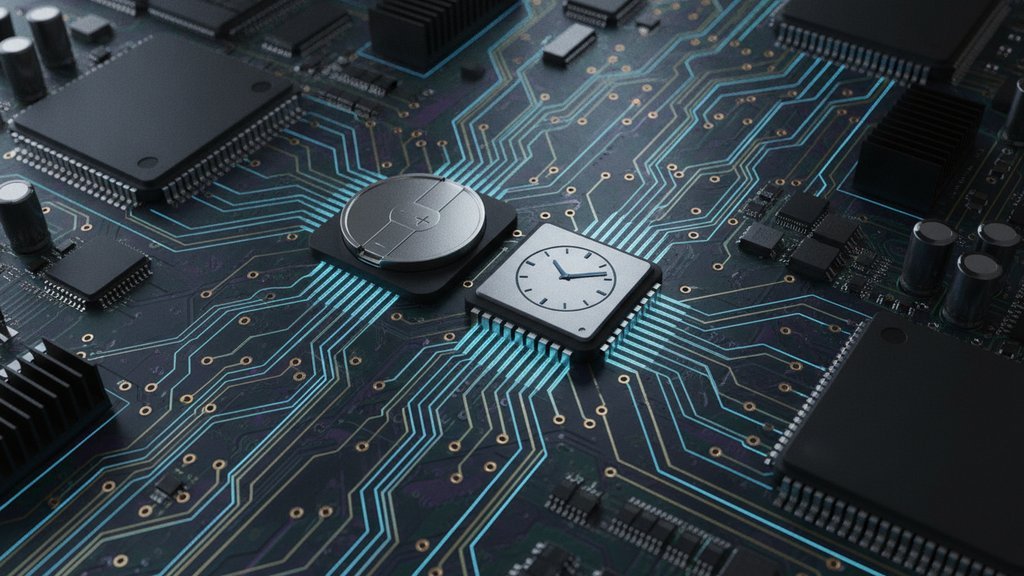
Your computer keeps time when it's off thanks to a tiny chip called the real time clock (RTC), which runs on a small CMOS battery soldered onto the motherboard. This dedicated RTC chip ticks away second by second even when the machine is unplugged, so when you power back on, the system already knows the correct date and time without asking the internet.
That's the short version. The interesting part is how a single coin-cell battery keeps that clock alive for years, why it eventually drifts, and how your operating system blends this hardware clock with time from the network to stay accurate.
Content Table
What is a real time clock (RTC)?
A real time clock is a small, low-power electronic component that keeps track of the current time and date independently of the main processor. It's a separate circuit on the motherboard whose only job is to count seconds, minutes, hours, days, months, and years, and to keep doing that whether your computer is running, sleeping, or fully shut down.
The classic example is the Motorola MC146818 chip from the early 1980s, first used in the IBM PC/AT. Modern computers don't use a discrete chip like that anymore. Instead, the RTC is built into the motherboard's chipset (the southbridge or its modern equivalent), but the concept is identical: a dedicated counter that never stops as long as it has power.
The CMOS battery: What actually powers it
When your computer is unplugged, the RTC gets its power from a small coin-cell battery, almost always a CR2032 lithium cell. You've probably seen it: a flat, silver disc about the size of a large coin sitting in a socket on the motherboard.
People call it the "CMOS battery" for a historical reason. Early motherboards used a small amount of CMOS (complementary metal-oxide-semiconductor) memory to store BIOS settings like boot order and the system clock. That memory was volatile, so it needed constant power to remember anything. The same battery kept both the CMOS settings and the RTC alive. Here's what makes it last so long:
- Tiny power draw: The RTC consumes only microamps of current, so a CR2032 can run it for 5 to 10 years.
- It only works when unplugged: When your PC is connected to wall power, the RTC draws from the standby power rail, not the battery, so the coin cell barely gets used.
- No moving parts: The battery isn't recharged. It slowly discharges over years and then needs replacing.
Hardware time vs system time
There are actually two clocks working together, and knowing the difference explains a lot of confusing timekeeping behavior.
| Clock | What it is | When it runs |
|---|---|---|
| Hardware time (RTC) | The physical clock on the motherboard, backed by the CMOS battery | Always, even when powered off |
| System time | The clock the OS keeps in memory, counted by the CPU while running | Only while the OS is booted |
At boot, the operating system reads the hardware clock once to set its own system time. From then on, the OS keeps counting time using the CPU's timers, which are far more precise than the RTC. When you shut down, the OS writes the current time back to the RTC so the hardware clock stays reasonably accurate for next boot.
One common gotcha: Linux and Windows often disagree about whether the RTC stores time in UTC or local time. Linux typically assumes the hardware clock is set to UTC, while Windows assumes local time. Dual-boot users frequently see their clock jump by several hours because of this mismatch. If you work with time zones a lot, our time zone converter is handy for sorting out those offsets, and how Unix timestamps handle UTC covers the underlying logic.
How the RTC actually counts time
The RTC keeps time using a quartz crystal oscillator, usually one that vibrates at exactly 32,768 Hz. That number is not random: it's 2 to the 15th power, so a simple 15-bit binary counter divides it down to produce a clean one-pulse-per-second tick. That tick is what advances the clock.
Older RTC chips stored time as separate registers for seconds, minutes, hours, and so on, often in binary-coded decimal. Modern systems and operating systems increasingly track time as a single running count of seconds since a fixed starting point. On Unix-like systems that starting point is January 1, 1970, which you can read more about in our guide to epoch time and why it starts in 1970.
Storing time as a plain integer count of seconds is clean and precise. Fractions of a second, when needed, are usually handled with floating point numbers or a separate nanosecond field, but the whole-second count stays an integer to avoid rounding errors. This design has a famous limit: 32-bit signed counters overflow in 2038, a topic we break down in the Year 2038 problem.
Why the clock drifts and how the internet fixes it
No quartz crystal is perfect. Temperature changes, manufacturing tolerances, and aging cause the oscillator to run slightly fast or slow. A typical RTC drifts by a few seconds to a minute or two per month. Over a year without correction, that adds up to a noticeable error.
To fix this, modern computers correct their clock over the network using the Network Time Protocol. Your OS periodically contacts a time server, compares its system time to the reference, and gently nudges the clock back into sync. You can learn how that handshake works in our explainer on NTP time synchronization.
Signs your CMOS battery is dying
When the coin cell runs out, the RTC loses power the moment you unplug or fully power down. The clock then resets to a default value on the next boot. Watch for these symptoms:
- Clock resets after shutdown: Your date reverts to something like January 1, 2000, or another manufacturer default every time you power off.
- BIOS settings don't stick: Boot order or other firmware settings reset because the CMOS memory lost power too.
- Boot warnings: Messages like "CMOS checksum error" or "RTC battery low" appear during startup.
- HTTPS and certificate errors: A wildly wrong clock can break secure connections because certificates appear expired or not yet valid.
The fix is cheap and simple: replace the CR2032 coin cell. Once you do, set the correct time in the BIOS or let NTP sync it, and the RTC will hold time reliably again for years.

Watch your computer's time tick in real seconds
Curious how your system counts time second by second? Our live epoch clock shows the current Unix timestamp advancing in real time, the same running count your hardware clock and OS rely on.
Open the live epoch clock →
A CR2032 coin cell typically powers the real time clock for 5 to 10 years. Because the RTC only draws from the battery when the computer is fully unplugged, machines that stay on wall power most of the time preserve their battery even longer.
Yes. That is exactly what the CMOS battery is for. When there's no wall power, the coin cell keeps the RTC chip running so it continues counting seconds. When you power back on, the firmware reads that value and passes it to the operating system.
The most common cause is a dead CMOS battery. Without power, the hardware clock resets to a default date every time the machine shuts down. Replacing the CR2032 coin cell and re-syncing the time usually solves it completely.
Hardware time is kept by the RTC chip on the motherboard and runs even when the machine is off. System time is what the operating system tracks in memory using the CPU while it's running. The OS reads hardware time at boot and writes it back on shutdown.
Linux usually treats the hardware clock as UTC, while Windows treats it as local time. When you switch operating systems, one of them misreads the RTC and the displayed time jumps by your timezone offset. You can fix it by making both systems agree on UTC.