




If you've ever integrated two systems that store dates differently, you already know the pain. One API returns 1714521600, another returns 2024-05-01T00:00:00Z, and suddenly you're writing conversion logic at midnight. Choosing the right unix timestamp format versus ISO 8601 from the start saves hours of debugging and prevents subtle bugs in production. Both formats are widely used, both have real strengths, and neither is universally "better." What matters is understanding exactly when each one fits your situation and why the wrong choice creates real costs.
Content Table
Key Takeaways:
- Unix timestamps are integers counting seconds (or milliseconds) since January 1, 1970 UTC - ideal for math, storage, and APIs.
- ISO 8601 is a standardized human-readable string format - ideal for logs, user interfaces, and cross-system communication.
- The two formats are complementary, not competing. Many production systems store Unix time internally and expose ISO 8601 externally.
- Picking the wrong format for the wrong context creates timezone bugs, parsing errors, and unnecessary complexity.
What Is Unix Timestamp Format?
A Unix timestamp (also called Unix time or epoch time) is a single integer that represents the number of seconds elapsed since the Unix epoch: January 1, 1970, 00:00:00 UTC. The unix time format is timezone-agnostic by definition because it always refers to UTC. There is no ambiguity about daylight saving time or regional offsets.
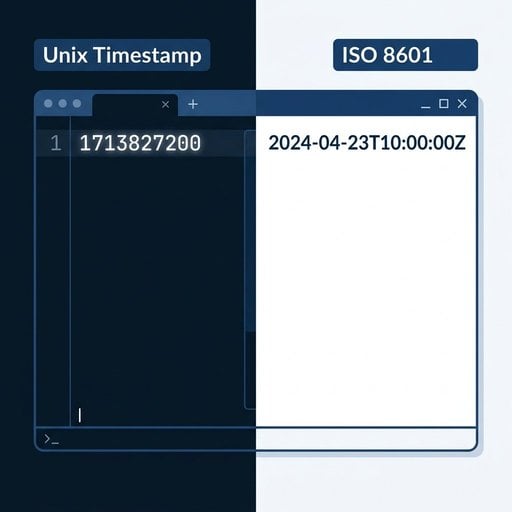
For example, the Unix timestamp 1714521600 represents exactly one specific moment in time, no matter where in the world you read it. Modern systems often extend this to milliseconds (1714521600000) or microseconds for higher precision. You can learn more about these variations in our guide on seconds vs milliseconds vs microseconds in Unix timestamps.
Technically, a Unix timestamp is just a number. That simplicity is both its greatest strength and the source of its biggest readability problem.
For a deeper background on where this concept comes from, see our article on epoch time and its foundations.
What Is ISO 8601 Date Format?
ISO 8601 is an international standard published by the International Organization for Standardization that defines how to represent dates and times as strings. A typical ISO 8601 datetime looks like this: 2024-05-01T00:00:00Z.
Breaking that down:
2024-05-01- the date in YYYY-MM-DD formatT- a separator between date and time00:00:00- the time in HH:MM:SS formatZ- indicates UTC (you can also use offsets like+05:30)
ISO 8601 is the backbone of the RFC 3339 standard widely used in internet protocols. It is human-readable, sortable as a string, and unambiguous across locales. Unlike writing "05/01/2024," which means May 1st in the US but January 5th in Europe, ISO 8601 is globally consistent.
Key Differences at a Glance
| Property | Unix Timestamp Format | ISO 8601 Date Format |
|---|---|---|
| Data type | Integer (or float) | String |
| Human-readable | No | Yes |
| Timezone handling | Always UTC (implicit) | Explicit offset or Z |
| Math-friendly | Yes (subtract, compare) | No (requires parsing) |
| Storage size | Small (4-8 bytes) | Larger (20+ chars) |
| Sortable as-is | Yes (numeric sort) | Yes (lexicographic) |
| Locale-safe | Yes | Yes |
When to Use Unix Timestamp Format
The unix time format excels in specific, well-defined situations. Use it when:
1. Doing Date Math
Calculating durations is trivial with Unix timestamps. To find out how many seconds have passed, you subtract one integer from another. With ISO 8601 strings, you must parse both into datetime objects first, then compute the difference. For high-frequency operations (think logging millions of events), that parsing overhead adds up.
2. Storing Dates in Databases
Integer columns are faster to index and compare than string columns. If you're running queries like "give me all events in the last 7 days," comparing two integers is more efficient than parsing and comparing strings. Our detailed guide on Unix timestamps in databases covers indexing strategies and query patterns in depth.
3. Communicating Between Internal Services
When two backend services you control need to pass timestamps, Unix format reduces parsing complexity. Both sides agree on the integer contract, and there's no risk of timezone string misinterpretation.
4. Expiry and TTL Logic
JWT tokens, cache entries, and session expiry are almost universally expressed as Unix timestamps. The exp claim in a JSON Web Token (JWT) is a Unix timestamp for exactly this reason: comparing exp > Date.now() / 1000 is one fast integer comparison.
5. Avoiding Timezone Bugs
Because Unix timestamps are always UTC, they eliminate an entire class of daylight saving time bugs. If your application serves users across multiple timezones, storing Unix timestamps and converting to local time only at display time is a well-proven architectural pattern.
Be aware of the Year 2038 problem if you're using 32-bit signed integers to store Unix timestamps - always use 64-bit integers in modern systems.
When to Use ISO 8601 Date Format
ISO 8601 date format wins in contexts where humans or external systems need to read, write, or validate dates without running code.
1. API Responses Consumed by Third Parties
If you're building a public API, returning "created_at": "2024-05-01T12:30:00Z" is far more developer-friendly than "created_at": 1714562200. External developers can immediately understand the value without converting it. Many API style guides, including those from Stripe and GitHub, default to ISO 8601 for this reason.
2. Log Files and Audit Trails
Logs are read by humans during incidents. A log line that says [2024-05-01T14:22:05Z] ERROR: payment failed is immediately actionable. A log with [1714569725] ERROR: payment failed forces the reader to convert the timestamp before they can even begin debugging.
3. Internationalization and Localization
ISO 8601 includes explicit timezone offset information. When your system needs to preserve the user's original local time (for example, a calendar event created at 9:00 AM in Tokyo), ISO 8601 with the correct offset (2024-05-01T09:00:00+09:00) captures that intent. A Unix timestamp alone cannot tell you what timezone the user was in when they created the event.
4. Config Files and Data Exchange Formats
JSON, YAML, and CSV files that humans edit should use ISO 8601. If a developer needs to manually set an expiry date in a config file, writing 2025-01-01T00:00:00Z is far less error-prone than computing and writing a Unix timestamp by hand.
Code Examples in JavaScript and Python
JavaScript: Converting Between Formats
// Get current Unix timestamp (seconds)
const unixNow = Math.floor(Date.now() / 1000);
console.log(unixNow); // e.g., 1714521600

// Convert Unix timestamp to ISO 8601 string
const isoString = new Date(unixNow * 1000).toISOString();
console.log(isoString); // "2024-05-01T00:00:00.000Z"

// Convert ISO 8601 string back to Unix timestamp
const parsed = new Date("2024-05-01T00:00:00Z");
const backToUnix = Math.floor(parsed.getTime() / 1000);
console.log(backToUnix); // 1714521600

// Calculate duration between two Unix timestamps (no parsing needed)
const start = 1714521600;
const end = 1714608000;
const durationSeconds = end - start;
console.log(`Duration: ${durationSeconds / 3600} hours`); // 24 hours
Python: Working with Both Formats
import time
from datetime import datetime, timezone

# Get current Unix timestamp
unix_now = int(time.time())
print(unix_now)  # e.g., 1714521600

# Convert Unix timestamp to ISO 8601 string
dt = datetime.fromtimestamp(unix_now, tz=timezone.utc)
iso_string = dt.isoformat()
print(iso_string)  # "2024-05-01T00:00:00+00:00"

# Convert ISO 8601 string back to Unix timestamp
parsed_dt = datetime.fromisoformat("2024-05-01T00:00:00+00:00")
back_to_unix = int(parsed_dt.timestamp())
print(back_to_unix)  # 1714521600

# Calculate duration - trivial with Unix timestamps
start = 1714521600
end = 1714608000
duration_hours = (end - start) / 3600
print(f"Duration: {duration_hours} hours")  # 24.0 hours
Important: In Python, always pass tz=timezone.utc when calling datetime.fromtimestamp(). Without it, Python uses your local system timezone, which can produce incorrect results on servers in different regions.
A Concrete Example: Booking System
Imagine you're building a hotel booking API. A user in New York books a room for check-in on June 15, 2024 at 3:00 PM local time. Here's how the two formats behave differently in practice.
Storing as Unix timestamp: You convert the user's local time to UTC and store 1718470800. This is compact and fast to query. But when the hotel staff in New York looks at the raw database record, they see a number. They need a tool to decode it. Worse, if you forget to convert from local time to UTC before storing, you've introduced a silent 4-hour bug (New York is UTC-4 in summer).
Storing as ISO 8601: You store 2024-06-15T15:00:00-04:00. The offset is preserved. Staff can read the record directly. The original timezone intent is not lost. But string comparisons in SQL are slightly slower, and calculating "how many hours until check-in" requires parsing the string first.
The production solution most teams use: Store the Unix timestamp in the database for performance and correctness, and return the ISO 8601 string in the API response for usability. This is the pattern used by major platforms. You get the best of both worlds.
Clear Recommendation by Use Case
Based on real constraints, here is a direct recommendation for each scenario:
- Database storage: Use Unix timestamp (integer). Faster indexing, no timezone parsing, smaller footprint.
- Internal microservice communication: Use Unix timestamp. Both sides control the contract and no human reads the raw payload.
- Public REST API responses: Use ISO 8601. Third-party developers need readable, self-documenting values.
- Log files and audit trails: Use ISO 8601. Humans read logs under pressure during incidents.
- JWT and session expiry: Use Unix timestamp. The spec requires it and comparisons are a single operation.
- Config files and scheduled tasks: Use ISO 8601. Humans write and edit these files directly.
- Calendar and scheduling features: Use ISO 8601 with explicit timezone offset. Preserves the user's original timezone intent.
- Date arithmetic in application logic: Convert to Unix timestamp first, compute, then convert back if needed.
For a broader set of best practices around working with timestamps in backend code, our Unix timestamp guide for developers covers patterns for storage, formatting, and timezone handling in detail.
Conclusion
The debate between unix timestamp format and ISO 8601 date format is not about which one is superior. It's about matching the right tool to the right job. Unix timestamps belong in your database columns, your internal service contracts, and your expiry logic. ISO 8601 belongs in your API responses, your logs, and any file a human might open. Most robust production systems use both: store as Unix time, expose as ISO 8601. If you internalize that single pattern, you'll avoid the most common date-handling bugs before they ever reach production.
Stop Guessing Which Date Format to Use
Try our free Unix Timestamp converter at unixtimestamp.app and convert between Unix time and ISO 8601 instantly - no coding required. Paste a timestamp, get a readable date in seconds.
Try Our Free Tool →
Yes, and many databases support native datetime types that store ISO 8601 internally. However, integer Unix timestamps are generally faster for range queries and index comparisons. For high-volume tables with frequent date-based filtering, integer timestamps give a measurable performance advantage over string or datetime columns.
Unix timestamps are always UTC by definition. They do not store timezone information. To display a Unix timestamp in a user's local timezone, you convert it at the presentation layer. This is actually an advantage: there is zero ambiguity in the stored value, and timezone conversion is handled explicitly where it belongs.
Seconds-based Unix timestamps (e.g., 1714521600) are the traditional format used in most Unix systems and standards like JWT. Milliseconds (e.g., 1714521600000) are common in JavaScript and browser environments. Always confirm which precision an API expects - sending seconds when milliseconds are expected produces dates 1000x in the past.
RFC 3339 is a profile of ISO 8601 specifically designed for internet use. It is slightly stricter: it requires a timezone offset (like Z or +00:00) and disallows some optional ISO 8601 features. In practice, most developers treat them as interchangeable for standard datetime strings like 2024-05-01T00:00:00Z.
GitHub uses ISO 8601 strings in its REST API responses. Stripe uses Unix timestamps (integers) in its API. Both choices are deliberate and consistent with their use cases. This illustrates that there is no single industry-wide rule - the right choice depends on your API's audience and the operations consumers need to perform on the values.